Amazon Workspaces
Windows and Linux Desktops anytime, anywhere with Amazon Workspaces and CloudEngin.
Why Opt for Azure Well-Architected Review?
Remote work is here to stay, and with the increased need for mobility and scalability, cloud-based virtual desktops are rising in popularity. With companies encouraging their employees to work from home and increasing security vulnerabilities, the time is ripe to embrace Desktop as a Service(Daas). DaaS solutions not only make remote working possible but also provide control over applications and data.
CloudEngin is a leading DaaS provider. With our Managed Amazon Workspaces offerings, we simplify and automate desktop management. We help in configuring and deploying Amazon Workspaces, thereby reducing TCO, ensuring data security, and relieving you from the stress of organizational-wide DaaS deployment.
Why Amazon WorkSpaces?

Desktop Delivery Simplified via Cloud
Amazon WorkSpaces simplifies desktop delivery to employees. Traditional desktops/laptops are rigid, difficult to manage, and prone to vulnerabilities. Amazon WorkSpaces rises above these limitations. Amazon Workspaces provides a secure and managed cloud-based desktop environment that can be provisioned seamlessly. Amazon WorkSpaces also reduces the stress on procuring, deploying, and managing a large amount of inventory.

Reduce your Capital Cost on IT Infrastructure
With Amazon Workspaces, IT infrastructure expenses can be significantly brought down without compromising on the infrastructure capabilities. You can also pay for what you use by the hour. This helps companies mitigate IT expenditure for temporary demand, which can quickly turn into a dead investment.

Uncompromised Security
Amazon WorkSpaces provides a comprehensive security cover that helps companies mitigate security threats. Additionally, CloudEngin offers a comprehensive role control mechanism allowing companies to have tight control over their data and other digital assets.

Control the Instances from Anywhere in the World
By letting go of physical assets, companies do not risk losing any control over their IT infrastructure. Amazon WorkSpaces provides a feature-rich provisioning service that can help create, provision, or delete a large number of workspaces within minutes. This, coupled with Bring-Your-Own-Device (BYOD), can give a lot of control to the IT staff without compromising their security or breaking the bank.
Deploy Linux or Windows instances within minutes
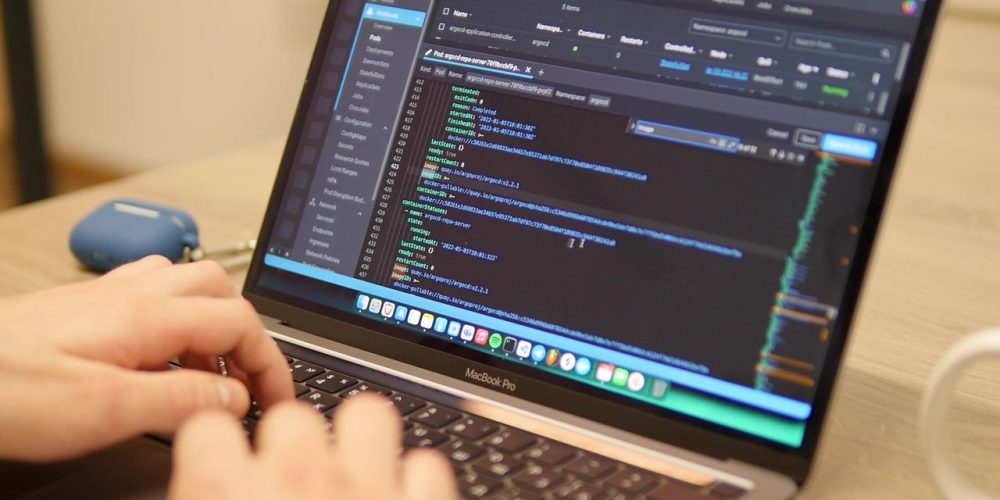
Amazon WorkSpaces does not restrict from using any software or hardware. Users have the flexibility to choose OS, hardware, and software. In fact, users can even save some amount on the Amazon WorkSpace bill if they bring their own licenses. You can deploy thousands of Microsoft Windows or Linux desktops in the AWS regions close to your users within a few minutes.

Easier Infrastructure Management
Organizations can control the deployment of several thousand AWS Workspaces across the globe through a single-view AWS console. IT staff no longer need to spend a substantial amount of time on maintaining hardware inventory, OS updates, patch rollout, etc. With Amazon Workspaces, they can now focus more on the core functions.

Multi-device compatibility
AWS WorkSpaces is compatible across multiple devices like Chromebooks, Windows and Mac computers, Fire, iPads, and Android tablets. It is also compatible with any browser of your choice.

Flexibility in pricing
AWS VDI pricing models include hourly and monthly billing cycles. Hourly billing is ideal for part-time workers with a limited number of hours during the month. With monthly billing, your enterprise would be paying a fixed monthly fee for unlimited usage during the month, which is ideally suited for full-time workers.
Reach out to our AWS experts for customized pricing for Amazon workspaces as per your enterprise demands
Our Service
CloudEngin has developed an industry-leading, scalable and flexible desktop virtualization solution that is cost-effective yet offers the ability to simplify and automate desktop management. CloudEngin helps in desktop deployment and takes the lack of predictability and stress out of it.

Workshop to discuss use cases, requirements and recommend roadmap, design, and plan

Setup Amazon WorkSpaces, configure and administer

Help in integrating WorkSpaces with your corporate AD/LDAP/G-Suite and applications

Helps in enabling SSO to your WorkSpaces

Customize Workspaces with Amazon Workspace App Manager (WAM)
Amazon Workspaces Key Use cases

Secure Remote Desktops for Remote Workers, Contract Employees
While employees’ “working from home” norm is great for productivity and business continuity, data security has been one of the biggest threats. With Amazon Workspaces, data is not stored on the end-users device. Thus, organizations can provide virtual desktop access to remote/mobile users, contract employees instantly & confidently without worrying about data security.

Cost-effective Cloud Desktops for Teachers & Students
Educational Institutions are transforming their ways of delivering education. Computers have become an integral part of the classroom. By leveraging Amazon Workspaces, educational institutions were able to provision virtual desktops that the Teachers and Students can access from any location. Many students can share the same end-user devices, thus reducing the capital costs and effort for provisioning and managing one-to-one desktops.

High-Performance Cloud Desktops for CAD/Graphics/Video Designers and Developers
It takes many functions to run a company successfully, and they all have diverse infrastructure needs. Some teams, like design teams, work on GPU intensive tasks, others work on processing intense tasks. Amazon Workspaces address this need for diverse IT landscapes and performance needs. Amazon Workspaces provide various bundles, and each bundle has different hardware and software options. Based on the use case, you can choose from predefined bundles or create your own bundle.

Compliant Digital Workspaces for Healthcare workers
Healthcare providers are adopting desktop virtualization technologies to provide flexible and HIPAA-compliant workspaces to their workforce. AWS Workspaces enables healthcare IT to provide workspaces that are highly available, secure as well as that support data backup and disaster recovery so that their confidential patient-related data can be accessed from any device, anytime and anywhere but only by the required personnel.

Scalable Virtual Desktops for New Mergers or Acquisitions
In scenarios like mergers and acquisitions, companies might need to create or delete thousands of desktops within a short period, while ensuring application and data security. Amazon workSpaces provides a virtual desktop infrastructure that doesn’t require any upfront infrastructure setup and makes it possible to rapidly scale secure virtual desktops based on the current needs, without increasing infra costs.
CloudEngin Amazon Workspaces Deployment Strategy
CloudEngin created a high-level plan so that our customers can start using Amazon Workspaces as effectively as possible from Day 1.
While most companies today have all the necessary tools for accessing AWS WorkSpaces, we need to make sure all the necessary inventory is in place, and the basic setup is done. At this stage, we set up VPC – private subnets and NAT Gateway. We ensure that the users have the necessary connectivity and associated protocols defined like S2S and VPN tools. We also look at the IP allocation and other HDLP aspects such as web and data access, IP access control, and trusted devices.
At this stage, we use Microsoft Active Directory (AD) to create authentication and user access protocols. We create an AD on AWS and map it to the on-premise domain. This enables users to access files that are part of the on-premise domain.
This is a vital step where we create a security layer for all the data that is being transferred in the network. Encryption of data, mapping protocols for secure data transfer, deploying HDLP software, antivirus, and any security features needed to ensure compliance is done. This will make sure that using Amazon WorkSpaces does not violate any compliance norms.
While ensuring security from all aspects, we install tools and create processes to track events and metrics of the network automatically generate performance reports periodically. We also make sure regular backups are created for the data.
Realizing Agility by Design: DevOps-as-a-Service architected on the AWS Cloud
CloudEngin implements the best of DevOps practices powered by the AWS Cloud, integrating advanced cloud-native tools and solutions that address, automate, and administer every phase of the software/code lifecycle: Build, Store, Test, Deploy, and Run. With CloudEngin, seamlessly integrate your software development and operations lifecycles on the AWS cloud for in-depth modernization: Infra-as-code, containerization, automated testing, CI-CD Pipelines, security monitoring, and more. Brace for unprecedented agility, scalability, and the best formula to accelerate product go-to-market timelines.
Introduction of CloudEngin AWS CCoE & CAF
We initially introduce our customers to the standard templates we follow for each use case and scenario. After we pick the closest scenario, we go about customizing it to suit the requirements of the specific customer. We also understand what infrastructure do they currently have and what additional infra they have to obtain for this project. Additionally, we understand the customers’ security needs to create a suitable offering.
- Introduction to Cloud4C
- DaaS use case and scenarios.
- Understand the landscape for building the DaaS -> AD / File servers / Desktops / Laptops / DaaS (on premise if deployed)
- Understand the Organization Security / Compliance needs
- Understand the IT standard operating procedure
- Discuss supported client device(s) (PC, Mac, Linux, iPad, Kindle Fire, or Android Tablet
Prepare Deployment Plan and Landing Zone Design
To start with, we will profile end-users of the DaaS product for providing apt solutions to them. We create user category bundle mapping to make it easy for IT administrators to provision services based on this information. We also leverage AWS Landing Zone and Active Directory to create the necessary provisioning infrastructure for the WorkSpaces.
Additionally, we investigate, plan and estimate the need for security, IAM, compliance, resilience, infrastructure security, backup, and disaster recovery. The project scope is understood based on these aspects
- DaaS user profiling and
- User Category with bundle mapping
- Process of accessing the DaaS (Technical)
- AWS landing zone
- Active directory integrations Planning
- Planning Data Protection, IAM, Resilience, Infrastructure Security, Backup & DR Planning
- Data migration from on-premise to Cloud
- Commercial Estimates
- Deployment Timelines
Deployment / Migration of DaaS Environment
Once we understand our customer expectations and agree upon the requirements, we start with the execution of the project. Starting from setting up the AWS account to operationalizing and configuring the backup, we have a predefined set of processes that are executed meticulously.
- AWS Account Setup
- Building Landing Zone
- Ideality integration
- Configure MFA and other security controls
- Build Image and launch workspaces
- Test Profiles and Client experiences
- Migrate on-premise data
- Test and Commission
- Operationalize & Configure Backup
- Optional -Configure advanced application catalogs using AWS WAM, AWS appstream, Custom Bundles, BYOL, cross-region DR, and other advanced features
CloudEngin Differentiators

Azure Expert MSP and a Microsoft Gold Partner

Trusted Azure MSP across EMEA, APAC, and the Americas for 12+ Years

2500+ cloud transformation stories across 29 nations

Azure Expert MSP holding 14 Advanced Specializations on Azure

Experienced team of Azure certified professionals covering every aspect of the Well Architected Review process to understand client requirements.

End-to-end WAR offerings – from assessment to identification, report generation, roadmap, and remediation.

24×7 pre and post assessment support to ensure the best results

Integration of Hyperautomation, AI solutions for advanced impact
AWS Workspaces - FAQs
What is Amazon Workspaces?
Amazon WorkSpaces is a fully managed, secure cloud desktop service offered by AWS. With AWS workspaces, your enterprise IT team can provision either Windows or Linux desktops in just a few minutes and based on your workforce’s dynamic requirements.
Amazon Workspaces eliminates the need for procurement and deployment of hardware and lets you seamlessly & swiftly scale to provide desktops to workers across the globe.
The flexible and pay-on-the-go pricing also saves costs compared to traditional desktops and on-premises VDI solutions. Employee productivity is also ensured in all circumstances as end users can access a responsive desktop from anywhere, anytime, from any supported device.
What are the uses of Amazon Workspaces?
An Amazon WorkSpace is a cloud-based virtual desktop that can act as a replacement for a traditional desktop. Using a Workspace, your enterprise can deliver a bundle of OS, compute and software resources, necessary software applications as per employee profile so that the end-user can function in the same way as using a traditional office desktop.
AWS WorkSpaces can also be seamlessly integrated into existing IT systems and processes and simplify your enterprise’s desktop management cycles. Due to a lack of upfront commitment, the workspaces could be disabled at any time by the enterprise.
What is the pricing of Amazon Workspaces?
The pricing for using Amazon workspaces in your enterprise would depend on the end-user/employee needs and configuration required for them. Although there is the flexibility to pay monthly or hourly as per your needs, the hourly billing would still attract nominal infrastructure and storage costs per month. With monthly billing, your enterprise would be paying a fixed monthly fee for unlimited usage during the month, which is ideally suited for full-time workers. For normal usage, Amazon workspaces can be availed from $21 per month per user per month. Hourly billing is ideal for part-time workers as billing is also limited to the number of hours during the month, and with no upfront commitment, the workspaces could be disabled at any time by the enterprise
You can reach out to our AWS experts for customized pricing for AWS workspaces as per your enterprise demands.
How does Amazon Workspaces work?
Application modernization impacts the entire app’s lifecycle, inputs, and outputs.
Hence, to fully modernize applications, enterprises must also refactor app databases, fine tune database management platforms, modify application networks-protocols-libraries, customize servers, integrate with DevOps, and streamline app security.
Firms can leverage services of application modernization partners like CloudEngin or native cloud-tools to achieve the above without disruption.
Let us empower your enterprise IT with AWS Workspaces
Schedule a consultation with our Cloud experts and get answers for any specific queries you may have. You can also schedule a visit to our Datacenters, or share feedback on our website and services.